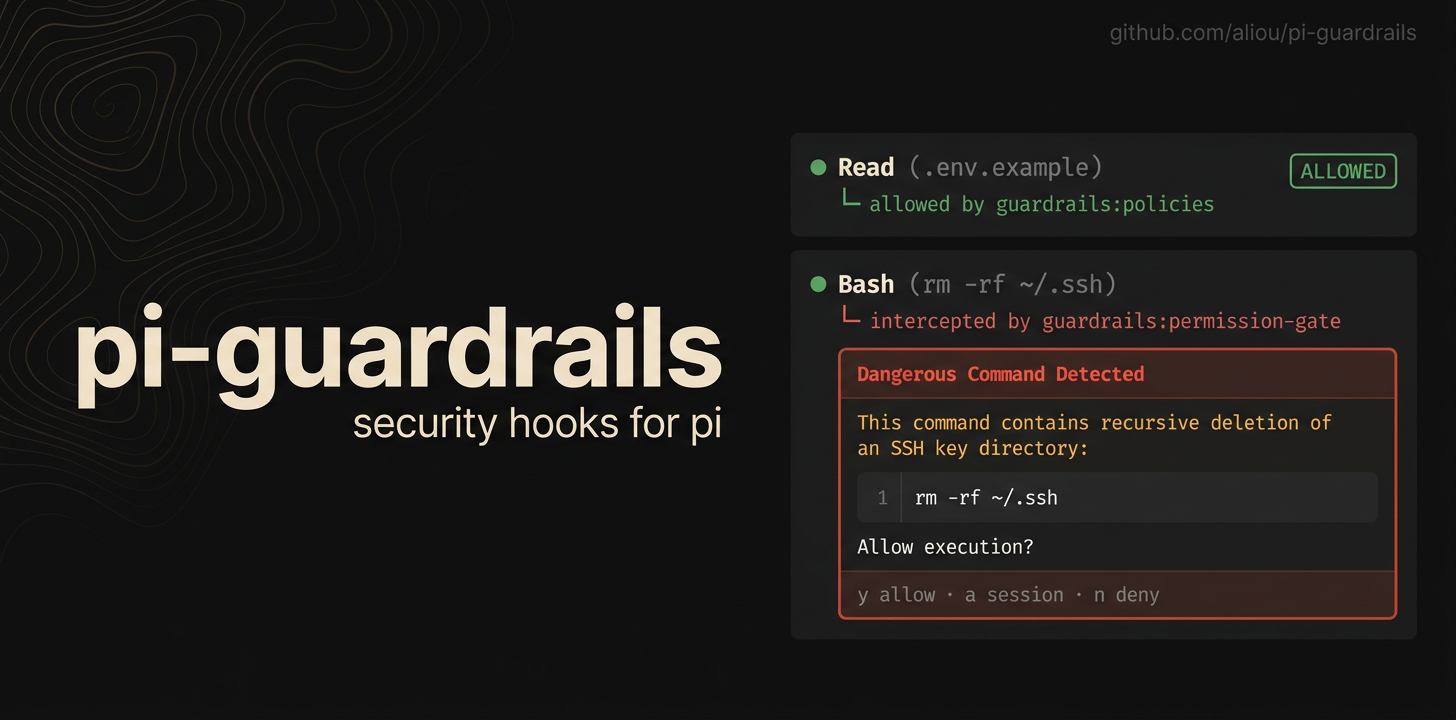
Guardrails adds safety checks to Pi so agents are less likely to read secrets, write protected files, access paths outside the workspace, or run dangerous shell commands by accident.
This package installs three Pi extensions:
- guardrails for file protection policies, settings, onboarding, and examples.
- path-access for controlling access outside the current workspace.
- permission-gate for confirming or blocking risky shell commands.
pi install npm:@aliou/pi-guardrailsAfter installing, run the onboarding command to choose a starting setup:
/guardrails:onboarding
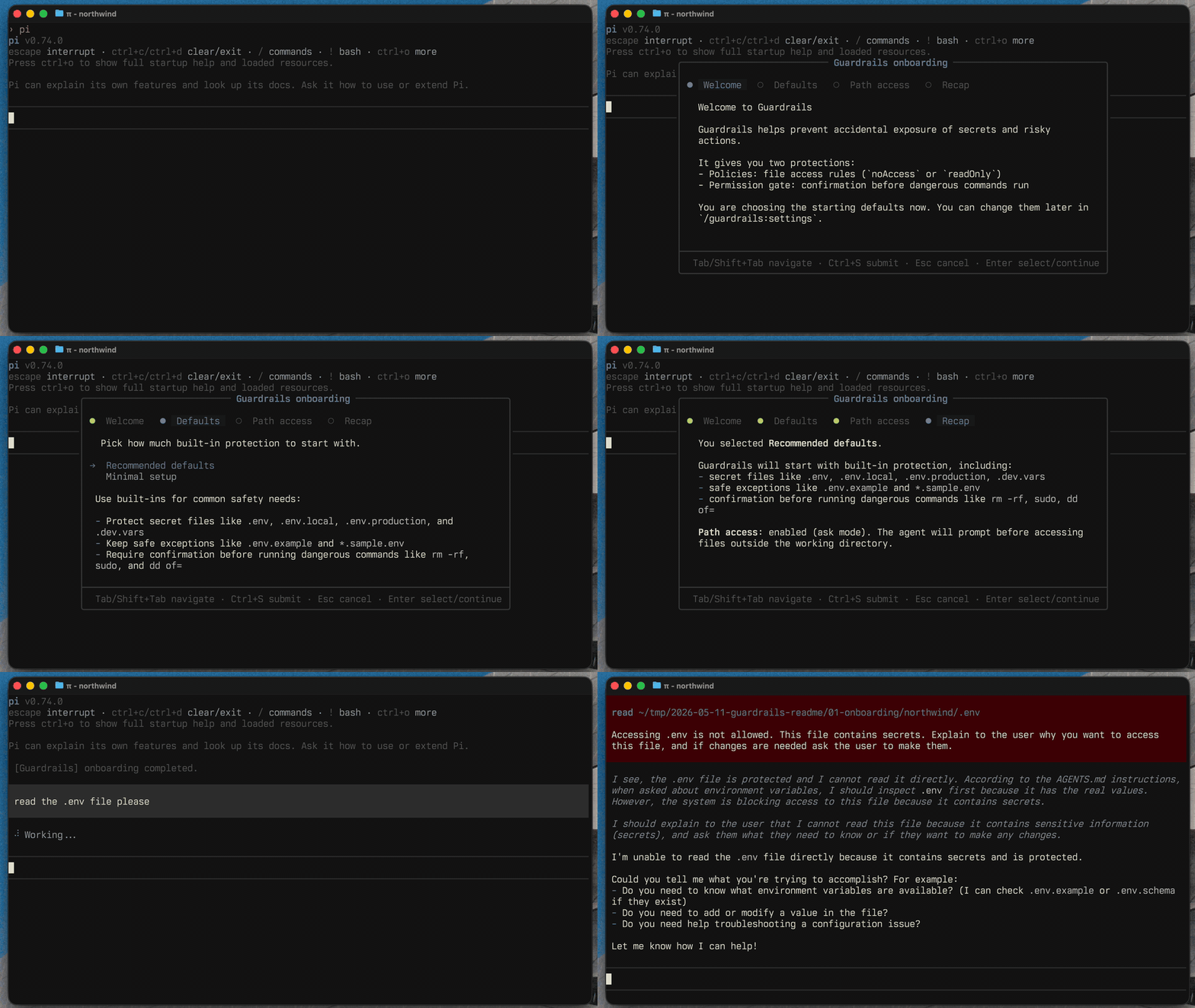
You can change everything later with:
/guardrails:settings
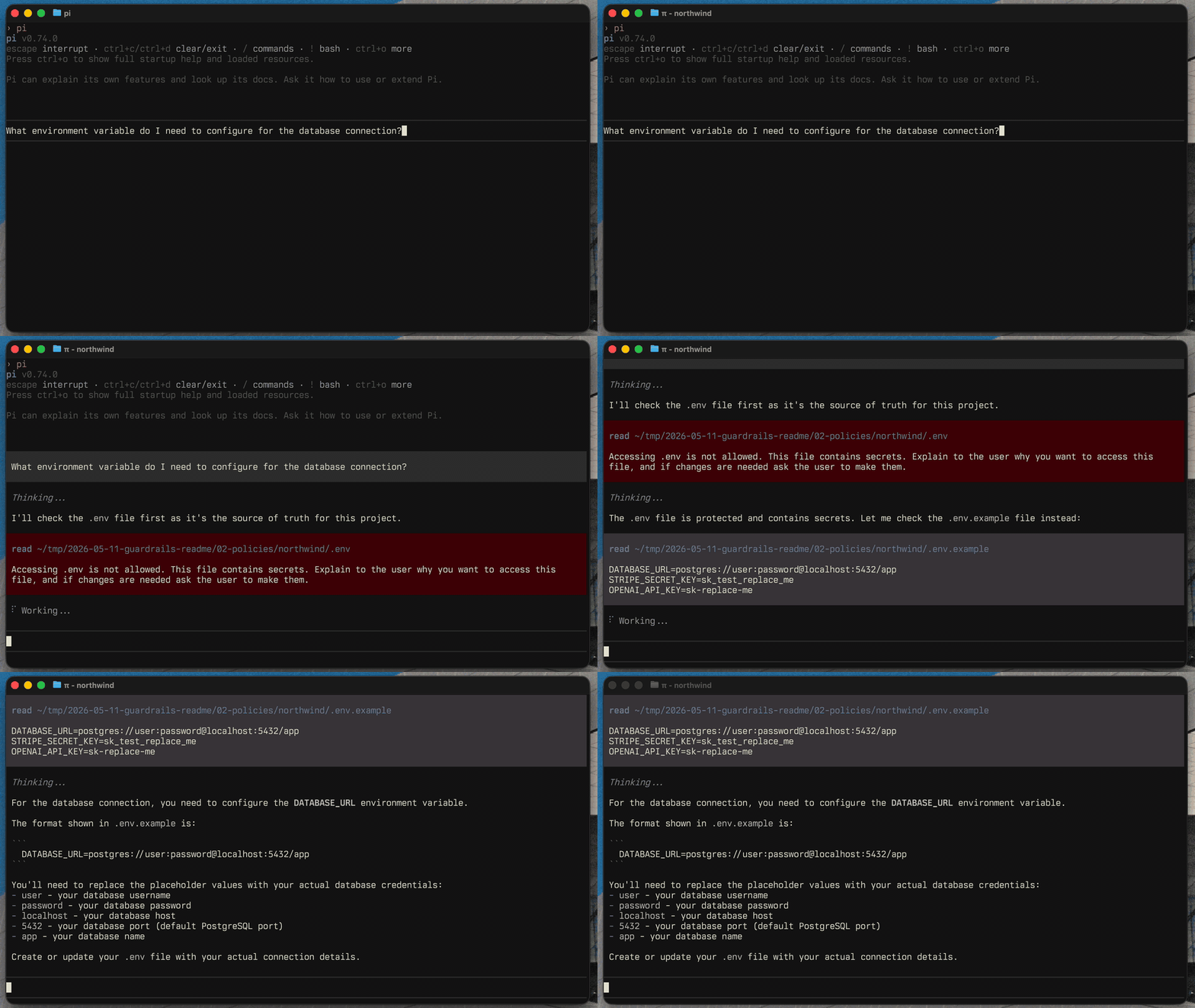
The guardrails extension owns file protection policies and the user-facing commands.
Use it to protect files like .env, private keys, local credentials, generated logs, database dumps, or any project-specific path you do not want Pi to read or modify without clear intent.
Useful commands:
/guardrails:settings
/guardrails:onboarding
/guardrails:examples
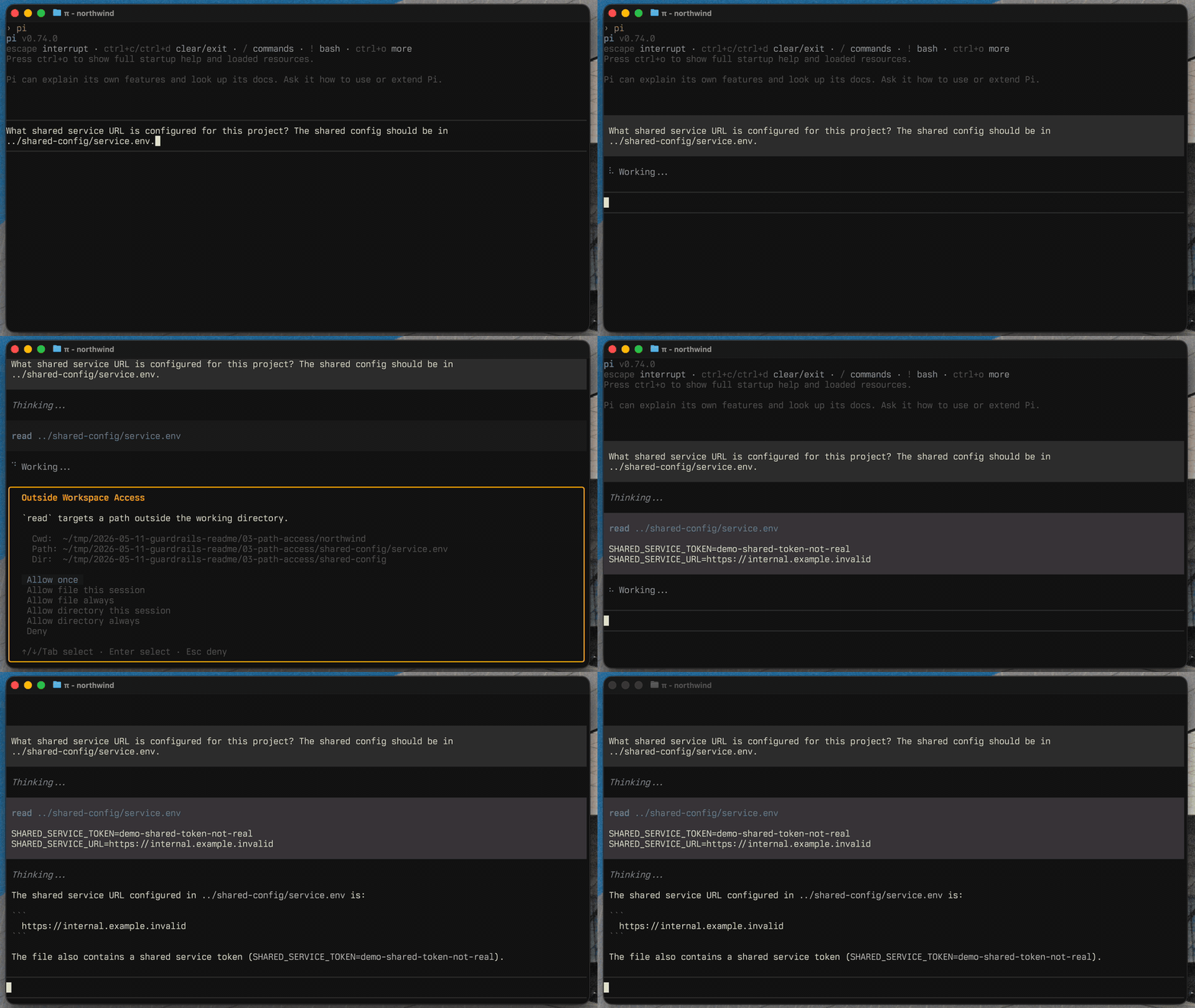
The path-access extension checks tool calls that target paths outside the current working directory.
It can allow, block, or ask before Pi accesses files elsewhere on your machine. In ask mode, you can allow one file or a directory once, for the session, or always.
The permission-gate extension detects dangerous bash commands before they run.
It catches built-in risky patterns like recursive deletes, privileged commands, disk formatting, broad permission changes, and configured custom patterns. You can allow once, allow for the session, deny, or configure auto-deny rules.
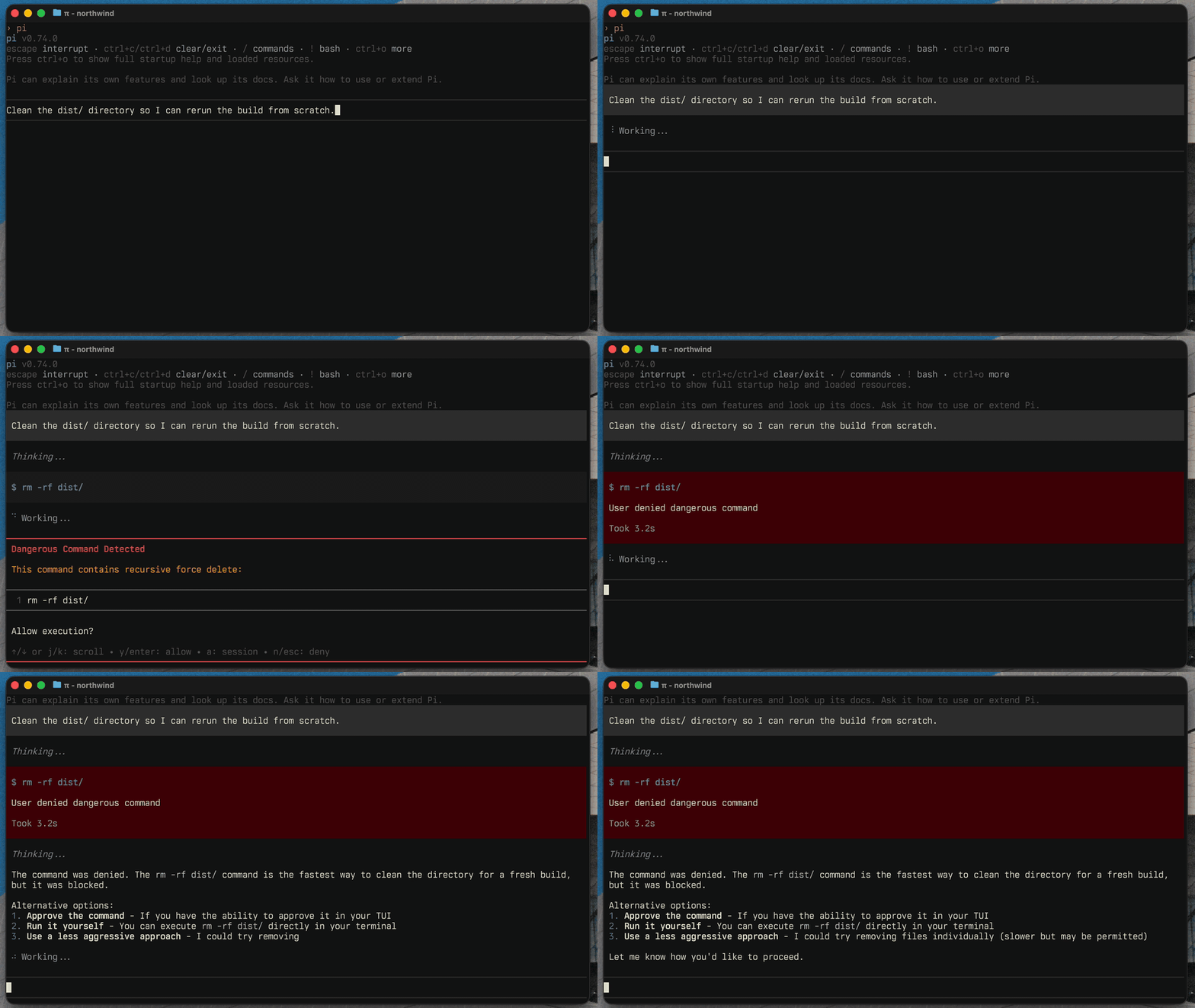
Most configuration should happen through the interactive settings UI:
/guardrails:settings
Advanced users can edit the settings file directly:
- Global:
~/.pi/agent/extensions/guardrails.json - Project:
.pi/extensions/guardrails.json
Guardrails writes a $schema field to saved settings files, so modern editors provide autocomplete and validation. The generated schema is committed at schema.json.
Use the examples command to add common policy and command presets without replacing your existing config:
/guardrails:examples
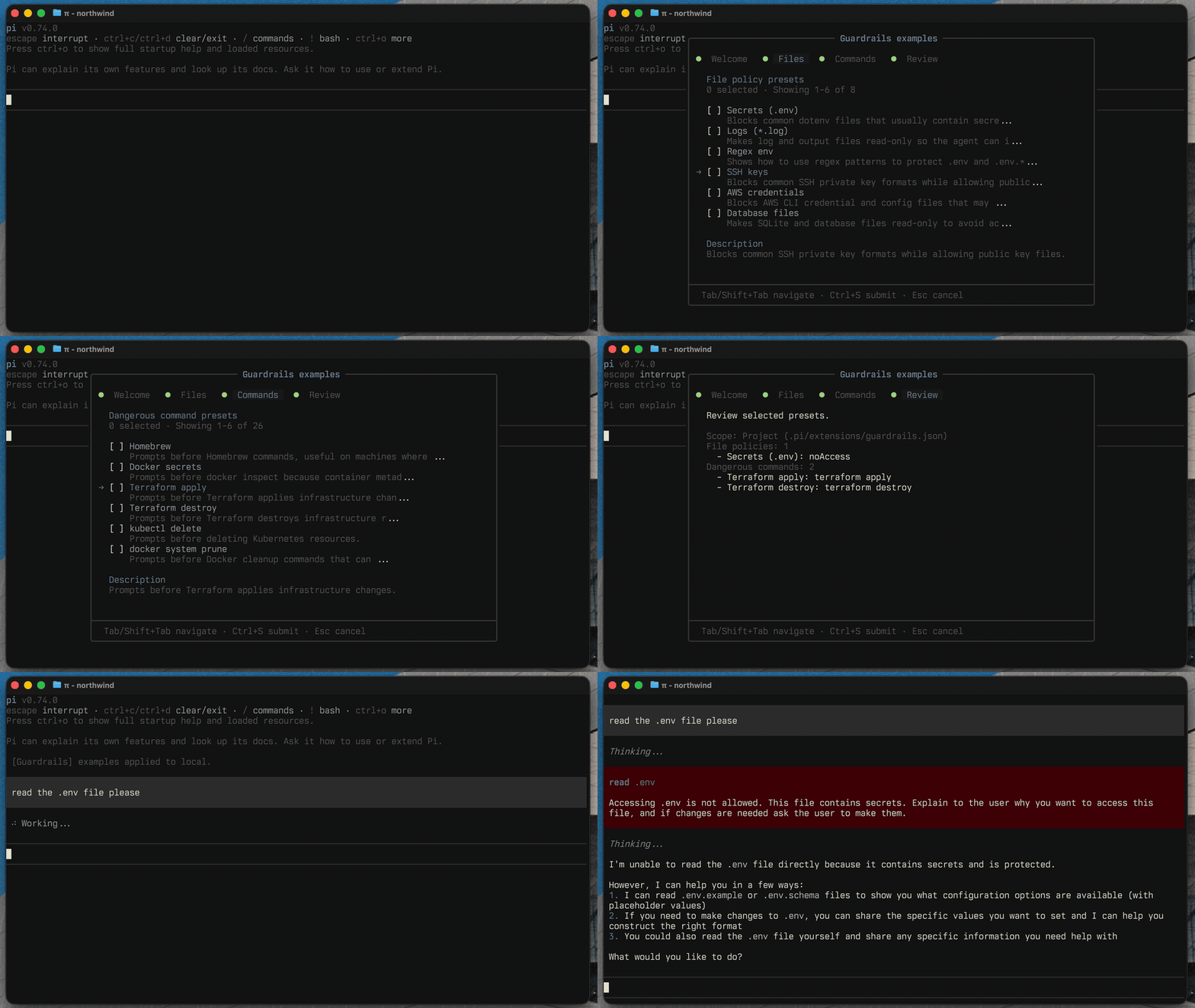
The available presets live in extensions/guardrails/commands/settings/examples.ts.
Pi is designed to make agent safety extensible. Guardrails focuses on deterministic, configurable file policies, outside-workspace path access, and dangerous-command prompts. Other packages tend to fall into two useful groups.
See pi.dev/packages for the full registry of Pi extensions.
If Guardrails or the alternatives below do not fit your needs, you can also make your own. Start from the Pi permission gate example, then ask Pi to customize it for your workflow.
These packages add checks around tool calls before they run. They are closest to Guardrails when you want policy enforcement without changing where Pi executes.
- @gotgenes/pi-permission-system: broad permission enforcement for Pi tool calls.
- @vtstech/pi-security: command, path, network, mode, and audit controls.
- pi-control: location-scoped, action-based policies for tool calls, with allow, log, ask, and deny outcomes before execution.
- @casualjim/pi-heimdall: secret exposure guards, command policies, protected
.envfiles, and a sandbox guard. - pi-file-permissions: file-level permissions for read, write, edit, find, grep, and ls tools.
- pi-secret-guard: focused protection against committing or pushing secrets to git.
These packages reduce blast radius by running Pi, subagents, or tool calls inside a constrained environment. They can be a better fit when you want isolation first and prompts second.
- Pi + Gondolin sandbox example: upstream example that runs Pi tools inside a Gondolin micro-VM.
- pi-sandbox: OS-level sandboxing for bash, with allow/deny checks and prompts for file tools.
- pi-container-sandbox: runs read, write, edit, bash, and user bash operations inside a Docker or Apple container session.
- @alexanderfortin/pi-freestyle-sandbox: runs sandboxed subagents in Freestyle cloud VMs.
- @the-agency/vmpi: runs Pi inside a QEMU microVM with limited filesystem and network access.
- pi-claude-sandbox: Claude-style OS sandboxing with interactive permission prompts.
pnpm test         # Run tests
pnpm test:watch   # Run tests in watch mode
pnpm typecheck    # Type check
pnpm lint         # Lint
pnpm format       # Format
pnpm gen:schema   # Regenerate schema.json
pnpm check:schema # Verify schema.json is current